vetted ten.

The 10 Best Laptops of 2026, Ranked

Updated · 18 models compared · How we rank

Our verdict: The best laptop in 2026 is the Apple MacBook Neo. It tops our ranking with 9.2 out of 10.

Our laptop picks

Fewer picks than usual: nothing cheaper than the No. 1 is a better buy.

All 10 laptops, compared

We compared 18 laptops sold in the US and ranked ten by owner ratings. They cover MacBooks and Intel and Snapdragon Windows laptops, from 13 to 16 inches, from the cheapest here to a gaming laptop with a dedicated graphics chip. Every product links to its full review below.

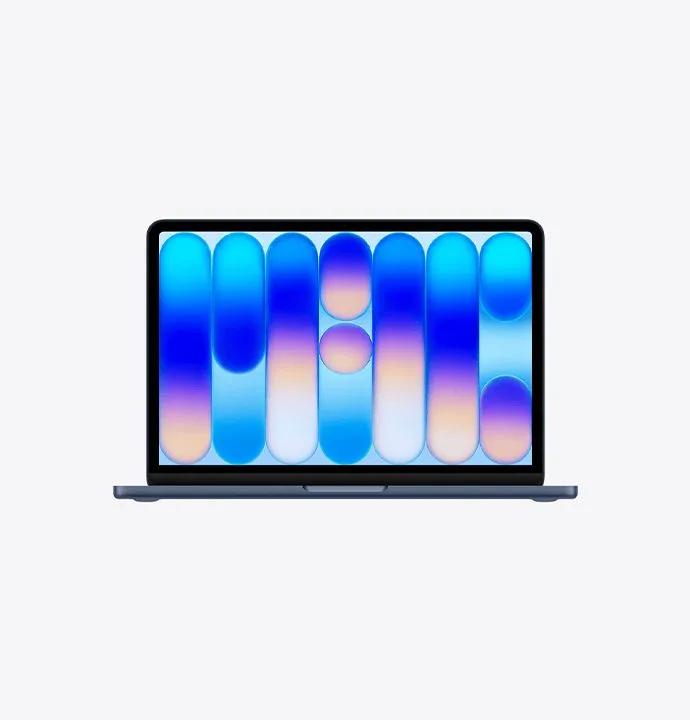
  1. 1 Apple MacBook NeoBest Choice 9.2 out of 10 Check Price
  2. 2 Apple MacBook Air 13-inch (M5) 9.1 out of 10 Check Price
  3. 3 HP OmniBook 5 14 inch Laptop Next Gen AI PC 14-he0099nr 8.7 out of 10 Check Price
  4. 4 Apple MacBook Pro 14-inch (M5 Pro)Best Premium 8.5 out of 10 Check Price
  5. 5 Acer Aspire 14 AI A14-52M 8.5 out of 10 Check Price
  6. 6 Microsoft Surface Laptop 13.8-inch (Snapdragon X2 Elite) 8.3 out of 10 Check Price
  7. 7 Dell XPS 13 DX13260 8.3 out of 10 Check Price
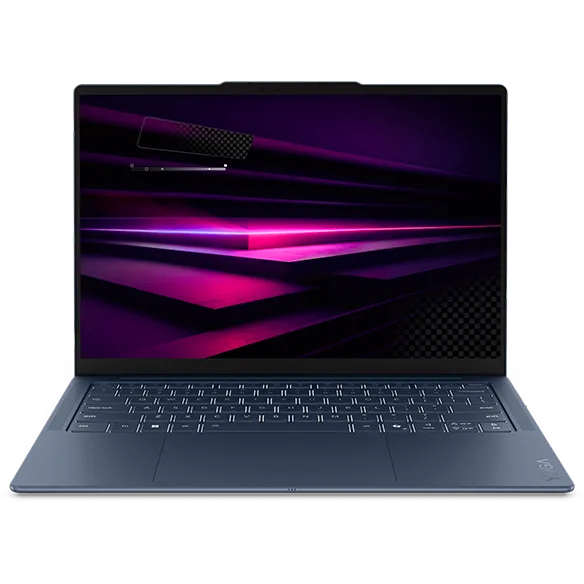
  8. 8 Lenovo Yoga Slim 7x Gen 11 (14-inch, Snapdragon X2 Elite) 8.3 out of 10 Check Price
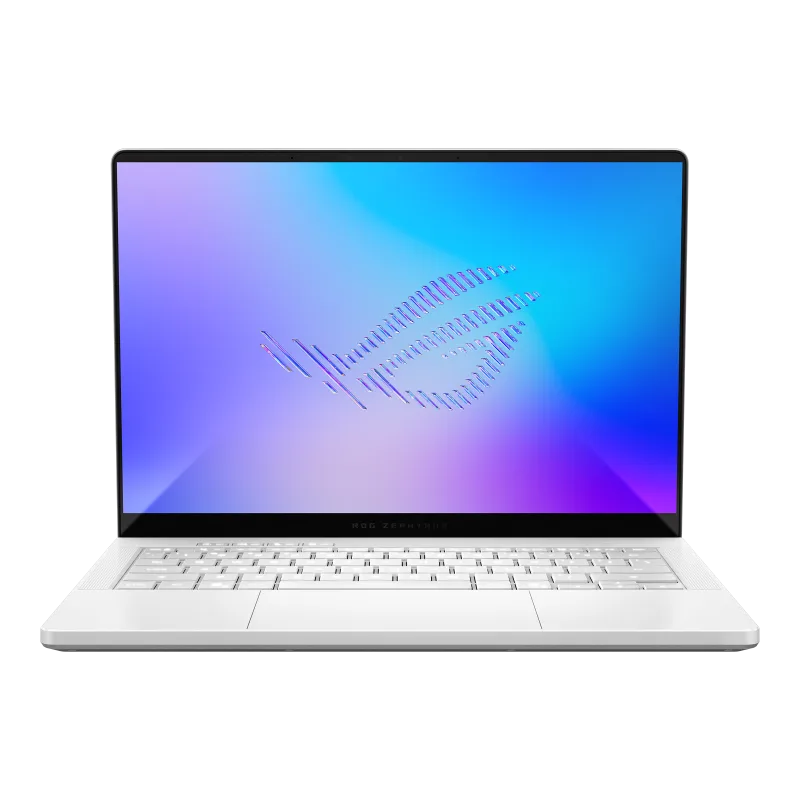
  9. 9 ASUS ROG Zephyrus G14 (2026) GU405 8.3 out of 10 Check Price
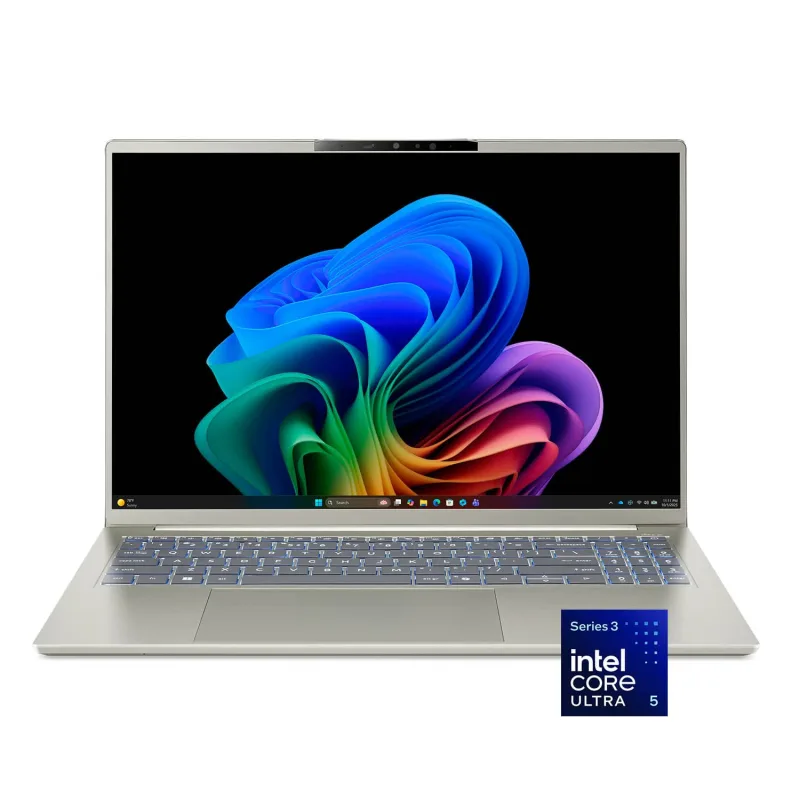
  10. 10 Acer Swift Go 16 AI SFG16-I71T-51LC 8.2 out of 10 Check Price

Why No. 1 beats No. 2

The Apple MacBook Neo (9.2) edges the Apple MacBook Air 13-inch (M5) (9.1) on the balance of all three parts.

The full laptop reviews

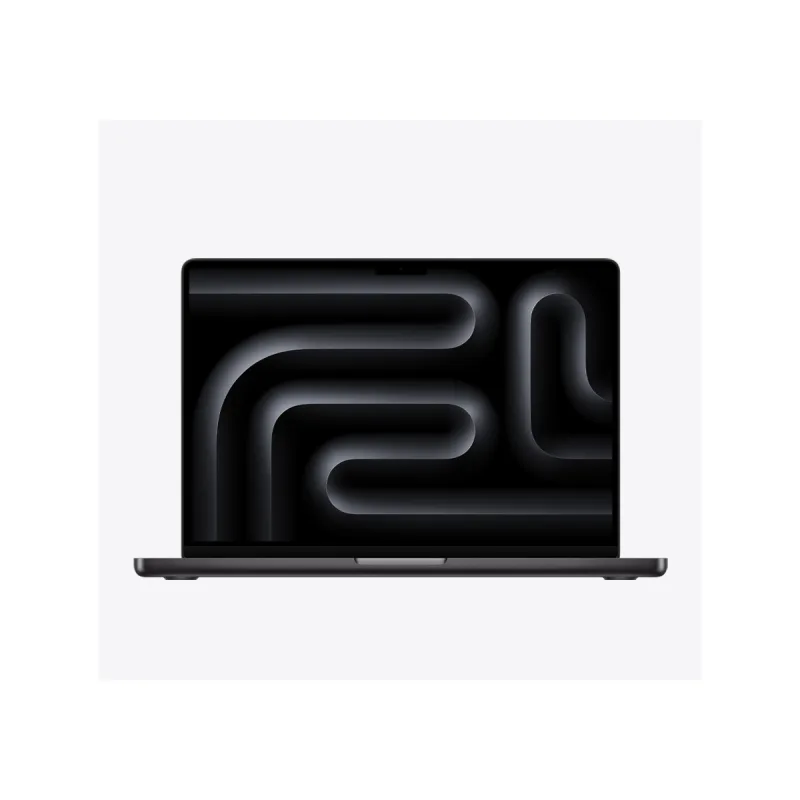
Apple MacBook Neo

1.Apple MacBook Neo

9.2/10Best Choice

Apple's budget MacBook, with a metal body and an iPhone-class chip. It suits students and light users who live in a browser, documents and streaming.

What makes up the score

  • How happy owners are1st of 10
  • How many rated it1st of 10
  • How new it is5th of 10

Each bar shows its place in this guide, so a full bar is 1st of 10. How happy owners are counts for most of the score.

Why it's here

  • Cheapest MacBook, with an aluminum body and a 13-inch Liquid Retina screen
  • A18 Pro chip handles browsing, documents, video calls and photo edits smoothly
  • Apple rates battery life at up to 16 hours
  • Comes in four colors: silver, blush, citrus and indigo

Keep in mind

  • 8GB of memory and 256GB of storage in the base model leave little headroom for heavy multitasking
  • One of the two USB-C ports runs at slower USB 2 speed
  • Not the machine for video editing, big spreadsheets or many browser tabs plus apps at once
Check Price on Amazon Read the full Apple MacBook Neo review
Apple MacBook Air 13-inch (M5)

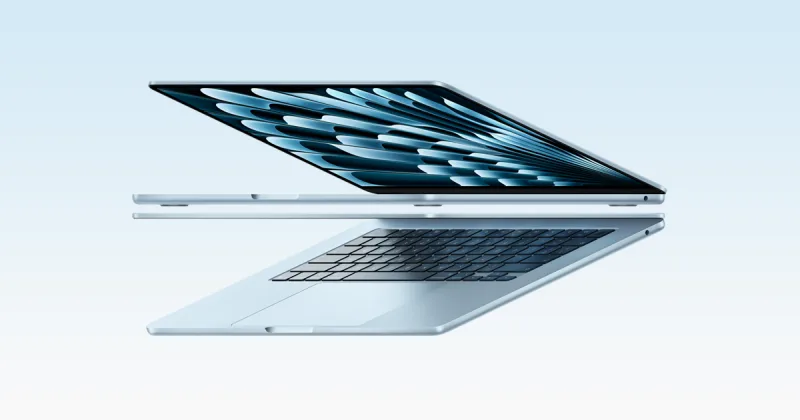
2.Apple MacBook Air 13-inch (M5)

9.1/10

The easy default for most people: fast, silent and light. It starts at 16GB of memory and 512GB of storage, which is where a daily laptop should start.

What makes up the score

  • How happy owners are2nd of 10
  • How many rated it3rd of 10
  • How new it is5th of 10

Each bar shows its place in this guide, so a full bar is 1st of 10. How happy owners are counts for most of the score.

Why it's here

  • Apple M5 chip with 16GB of memory and 512GB of storage in the base build
  • Fanless design, so it stays silent under office, study and browsing loads
  • Apple rates battery life at up to 18 hours, and reviewers report a full day away from the charger
  • 13.6-inch Liquid Retina screen at about 2.7 pounds, with MagSafe charging and two Thunderbolt 4 ports

Keep in mind

  • Only two ports, both on one side, plus the charging port and a headphone jack
  • Memory and storage are fixed at purchase, and upgrades cost a lot
  • Long video exports and heavy editing slow down because the chassis has no fan
Check Price on Amazon Read the full Apple MacBook Air 13-inch (M5) review
HP OmniBook 5 14 inch Laptop Next Gen AI PC 14-he0099nr

3.HP OmniBook 5 14 inch Laptop Next Gen AI PC 14-he0099nr

8.7/10

A Snapdragon laptop with an OLED screen and excellent battery life at a mid-range price. It suits buyers whose apps all run natively on Windows on Arm.

What makes up the score

  • How happy owners are3rd of 10
  • How many rated it2nd of 10
  • How new it is9th of 10

Each bar shows its place in this guide, so a full bar is 1st of 10. How happy owners are counts for most of the score.

Why it's here

  • 14-inch 2K OLED screen with deep blacks and strong color
  • Snapdragon X Plus with 16GB of memory and a 1TB SSD in this configuration
  • HP quotes up to 34 hours of local video playback, and reviewers praise its battery life
  • Copilot+ PC features and a lightweight aluminum body

Keep in mind

  • Windows on Arm may not run some older software, drivers or games
  • Memory is soldered and cannot be upgraded
  • Snapdragon X Plus is slower than the X2 Elite laptops here
Check Price on Amazon Read the full HP OmniBook 5 14 inch Laptop Next Gen AI PC 14-he0099nr review
Apple MacBook Pro 14-inch (M5 Pro)

4.Apple MacBook Pro 14-inch (M5 Pro)

8.5/10Best Premium

The pick for people who edit video, code large projects or run heavy software all day. It is the fastest Apple laptop here.

What makes up the score

  • How happy owners are5th of 10
  • How many rated it5th of 10
  • How new it is5th of 10

Each bar shows its place in this guide, so a full bar is 1st of 10. How happy owners are counts for most of the score.

Why it's here

  • M5 Pro chip with 24GB of memory and 1TB of storage in the base build, ahead of every other laptop here for sustained work
  • Ports include Thunderbolt 5, HDMI, an SD card slot and MagSafe, so few adapters are needed
  • Bright XDR screen that suits photo and video work
  • Owners report long battery life even under heavy loads

Keep in mind

  • Expensive and well past what email and browsing need
  • Memory and storage upgrades add a lot to the price
  • Larger and heavier than the MacBook Air, so it is less comfortable to carry all day
Check Price on Amazon Read the full Apple MacBook Pro 14-inch (M5 Pro) review
Acer Aspire 14 AI A14-52M

5.Acer Aspire 14 AI A14-52M

8.5/10

A modest everyday laptop with a modern Intel Lunar Lake chip, 16GB of memory and a 1TB drive. It is the pick when you want long battery life without paying for looks.

What makes up the score

  • How happy owners are4th of 10
  • How many rated it3rd of 10
  • How new it is10th of 10

Each bar shows its place in this guide, so a full bar is 1st of 10. How happy owners are counts for most of the score.

Why it's here

  • Intel Core Ultra 7 256V with 16GB of memory and a 1TB SSD in the version reviewed
  • 65Wh battery, with reviewers measuring roughly 12 hours 48 minutes of web use
  • Copilot+ PC features and a 14-inch 1920 x 1200 screen
  • The SSD can be replaced by the owner

Keep in mind

  • Reviewers call the screen average and the keyboard unremarkable
  • Mostly plastic build, less rigid than the aluminum laptops here
  • The 1920 x 1200 screen is dimmer and less sharp than the OLED laptops here
Check Price on Amazon Read the full Acer Aspire 14 AI A14-52M review
Microsoft Surface Laptop 13.8-inch (Snapdragon X2 Elite)

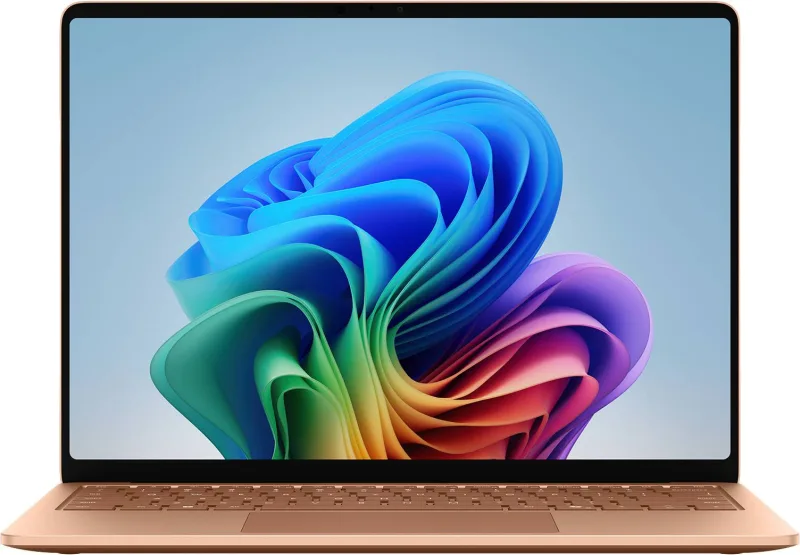
6.Microsoft Surface Laptop 13.8-inch (Snapdragon X2 Elite)

8.3/10

A premium Windows laptop with a tall 3:2 touchscreen and a quiet Snapdragon chip. It costs more than the MacBook Air and the other ultraportable Windows laptops here.

What makes up the score

  • How happy owners are6th of 10
  • How many rated it6th of 10
  • How new it is2nd of 10

Each bar shows its place in this guide, so a full bar is 1st of 10. How happy owners are counts for most of the score.

Why it's here

  • 13.8-inch 3:2 PixelSense Flow touchscreen at 2304 x 1536 and 120Hz, with up to 600 nits of peak brightness
  • Snapdragon X2 Elite chip, with Copilot+ AI features
  • Microsoft quotes up to 20 hours of battery, and Arm laptops are among the longest-lasting
  • 17.5mm thin and about 3 pounds, with a solid metal build

Keep in mind

  • Costs more than every other Windows laptop here except the gaming ROG Zephyrus G14, and storage upgrades are expensive
  • Windows on Arm runs some older apps, drivers and games poorly or not at all
  • Few ports for the price
Check Price on Amazon Read the full Microsoft Surface Laptop 13.8-inch (Snapdragon X2 Elite) review
Dell XPS 13 DX13260

7.Dell XPS 13 DX13260

8.3/10

A very light aluminum Windows ultraportable with a sharp touchscreen, priced well below the MacBook Air. Choose the 16GB option.

What makes up the score

  • How happy owners are7th of 10
  • How many rated it8th of 10
  • How new it is1st of 10

Each bar shows its place in this guide, so a full bar is 1st of 10. How happy owners are counts for most of the score.

Why it's here

  • Under 3 pounds and about 0.5 inch thick, with a CNC aluminum body
  • 13.4-inch 2.5K touchscreen with a 30 to 120Hz refresh rate and 500 nits
  • Intel Core 5 320 chip, Wi-Fi 7 and two USB-C ports

Keep in mind

  • The base model has only 8GB of memory, and reviewers say to step up to 16GB
  • Two USB-C ports and no card reader or USB-A
  • Entry Core 5 chip is built for everyday work, not heavy editing or gaming
Check Price on Amazon Read the full Dell XPS 13 DX13260 review
Lenovo Yoga Slim 7x Gen 11 (14-inch, Snapdragon X2 Elite)

8.Lenovo Yoga Slim 7x Gen 11 (14-inch, Snapdragon X2 Elite)

8.3/10

A thin, light Snapdragon laptop with a 14-inch OLED touchscreen and a large battery. It suits students and travelers whose apps all run on Windows on Arm.

What makes up the score

  • How happy owners are8th of 10
  • How many rated it7th of 10
  • How new it is8th of 10

Each bar shows its place in this guide, so a full bar is 1st of 10. How happy owners are counts for most of the score.

Why it's here

  • Snapdragon X2 Elite chip with Copilot+ PC features
  • 14-inch OLED touchscreen, with a 2.8K 120Hz option
  • 70Wh battery in a body about 0.55 inch thin and under 2.8 pounds

Keep in mind

  • Windows on Arm runs some older apps, drivers and games poorly or not at all
  • Costs far more than the Acer Aspire 14 and HP OmniBook 5, which also last a long time on a charge
  • Memory is soldered and cannot be upgraded
Check Price on Amazon Read the full Lenovo Yoga Slim 7x Gen 11 (14-inch, Snapdragon X2 Elite) review
ASUS ROG Zephyrus G14 (2026) GU405

9.ASUS ROG Zephyrus G14 (2026) GU405

8.3/10

A compact gaming laptop that also handles creative work. It is the most powerful Windows laptop here, and the most expensive.

What makes up the score

  • How happy owners are9th of 10
  • How many rated it10th of 10
  • How new it is2nd of 10

Each bar shows its place in this guide, so a full bar is 1st of 10. How happy owners are counts for most of the score.

Why it's here

  • Intel Core Ultra 9 386H with a GeForce RTX 5070 Ti laptop GPU and 32GB of memory
  • 14-inch 3K OLED screen at 120Hz, with up to 1100 nits of peak brightness
  • 73Wh battery in a 14-inch body of about 3.5 pounds
  • Ports include HDMI 2.1, Thunderbolt 4, two USB-A and a full-size SD card reader

Keep in mind

  • Costs more than any other laptop in this guide
  • Battery life and fan noise under load are well behind the ultraportables here
  • Heavier than the other 13 and 14-inch laptops, and the power brick adds to the load
Check Price on Amazon Read the full ASUS ROG Zephyrus G14 (2026) GU405 review
Acer Swift Go 16 AI SFG16-I71T-51LC

10.Acer Swift Go 16 AI SFG16-I71T-51LC

8.2/10

A big-screen OLED touchscreen laptop that stays near 3 pounds. It suits anyone who wants room to work without carrying a heavy 16-inch machine.

What makes up the score

  • How happy owners are10th of 10
  • How many rated it9th of 10
  • How new it is4th of 10

Each bar shows its place in this guide, so a full bar is 1st of 10. How happy owners are counts for most of the score.

Why it's here

  • 16-inch 1920 x 1200 OLED touchscreen with rich color and deep contrast
  • Intel Core Ultra 5 322 with 16GB of memory and a 512GB SSD, a sensible everyday build
  • About 3 pounds, light for a 16-inch laptop
  • Copilot+ PC features and a larger screen for spreadsheets and split windows

Keep in mind

  • The entry Core Ultra 5 chip is slower than the Ultra 7 laptops here under heavy loads
  • 60Hz refresh rate
  • A 16-inch laptop is bulkier in a bag than the 13 and 14-inch options
Check Price on Amazon Read the full Acer Swift Go 16 AI SFG16-I71T-51LC review

Before you buy a laptop

How much RAM and storage do I need in a laptop?

8GB of RAM is the floor for light browsing and documents. 16GB suits work, study and many browser tabs, and it is where we would start. More RAM can shorten battery life on Windows laptops, but the gap is small. For storage, choose an SSD, never eMMC, with 256GB as the minimum and 512GB comfortable. On most thin laptops both memory and storage are soldered or hard to change, so buy what you need now.

Which laptop brand is the most reliable?

No brand is reliable across its whole range. Apple, Dell, Lenovo, HP, ASUS and Acer all make good and poor models, and the build quality of the specific laptop matters more than the logo. Look at owner ratings and reviews for the exact model, and check the warranty. Most laptops here come with a one-year limited warranty, and Apple and Dell sell longer plans. Parts that fail most often are batteries and hinges, so a laptop with a user-replaceable SSD and battery is cheaper to keep alive.

How long should a laptop battery last?

Aim for at least 10 hours of real use. Maker claims are best-case video-playback numbers, and reviews that run a web-browsing test are closer to real life. Battery capacity (Wh) alone misleads, because a Snapdragon or Apple chip can outlast an Intel laptop with a larger battery. Bright screens, high refresh rates and heavy apps all cut the runtime. A modern MacBook or Snapdragon laptop should last a full day, and Intel Core Ultra ultraportables in this guide manage about 10 to 14 hours. A gaming laptop such as the ROG Zephyrus G14 lasts far less under load.

Should I buy a MacBook or a Windows laptop?

Buy a MacBook if you want long battery life, quiet running and a simple setup, and if your apps run on macOS. Buy Windows if you need specific software, want a touchscreen, or need the widest choice of prices and ports. Windows on Arm (Snapdragon) laptops last longer than Intel ones but may not run some older apps, drivers or games, so check the programs you need first. Copilot+ PC features are Windows-only, and Apple has its own AI features, so neither is a reason to pick a platform.

Is a Chromebook enough for school or work?

For web-based school and office work, a Chromebook is often enough and costs less. It falls short if you need Windows or Mac software, run local files in heavy programs, or want a bigger choice of ports and accessories. Chromebooks work differently from the laptops in this guide and are better compared in their own guide. If your school uses Google tools only, a Chromebook is a sensible low-cost option; otherwise a budget Windows laptop or the MacBook Neo is more flexible.

Is a touchscreen or 2-in-1 laptop worth it?

A touchscreen is worth having if you take notes with a pen, use a tablet-style layout, or like scrolling by touch. It adds a small amount of weight and usually trims battery life a little. If you mostly type, skip it and spend the money on 16GB of RAM or a better screen. Several laptops here, including the Dell XPS 13, Lenovo Yoga Slim 7x, Microsoft Surface Laptop and Acer Swift Go 16 AI, have a touch screen without being a full 2-in-1.

How we ranked these ten laptops

Every score here comes from our ranking model; no editor sets the order. We haven't read the review sites for this guide yet, so for now it is led by owners. It ranks products by how happy owners are, holding back any product few owners have rated until more agree. How many rated it and how new it is only settle close calls, and value for money earns its own badge rather than a higher place. We compared 18 models for this guide before settling on these ten.

Brands can't pay to be included or to move up. We last checked these picks in November 2026.

How we rank, in full

Our No. 1 laptop

Apple MacBook Neo

Apple's budget MacBook, with a metal body and an iPhone-class chip. 9.2 out of 10.

Check Price on Amazon