
Brother HL-L2865DW
A compact mono printer that does one job well.
Check Price on Amazon Read the full reviewOur verdict: The best laser printer in 2026 is the Brother HL-L2865DW. It tops our ranking with 8.5 out of 10.
Fewer picks than usual: no other model in the top half is better value and no dearer model makes the top half.
A compact mono printer that does one job well.
Check Price on Amazon Read the full review
One of the cheapest ways into laser printing with Wi-Fi and automatic duplex.
Check Price on Amazon Read the full reviewWe compared 22 laser printers sold in the UK, then ranked ten of them by how happy owners are. These ten cover compact mono print-only machines, mono and colour all-in-ones and larger office models, from a budget price to a premium one. Every product links to its full review below.
Brother HL-L2865DWBest Choice
8.5 out of 10
Check Price
 HP LaserJet MFP M234sdw
8.4 out of 10
Check Price
Brother HL-L2400DWBest Budget
8.3 out of 10
Check Price
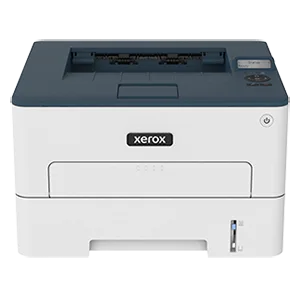 Xerox B230
8.3 out of 10
Check Price
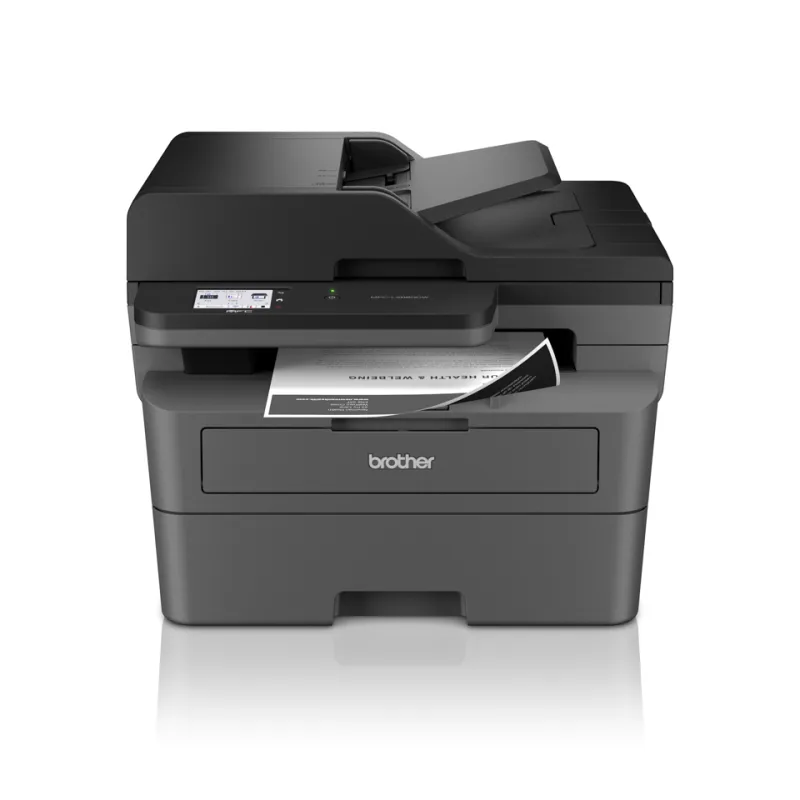 Brother MFC-L2860DW
8.1 out of 10
Check Price
 HP Color LaserJet Pro 3202dw
8.0 out of 10
Check Price
 Canon i-SENSYS LBP243dw II
8.0 out of 10
Check Price
 Canon i-SENSYS MF752Cdw II
8.0 out of 10
Check Price
 Canon i-SENSYS MF463dw II
8.0 out of 10
Check Price
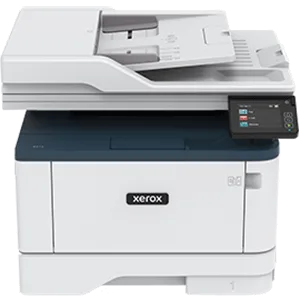 Xerox B315
7.9 out of 10
Check Price
The Brother HL-L2865DW (8.5) beats the HP LaserJet MFP M234sdw (8.4): owners are about as happy with both, and it is the newer design.
A compact mono printer that does one job well. It prints at up to 34 pages a minute, two-sided as standard, over Wi-Fi, Ethernet or USB.
Each bar shows its place in this guide, so a full bar is 1st of 10. How happy owners are counts for most of the score.
A compact mono all-in-one with a document feeder and Ethernet. Owners like the small size and the straightforward app setup. HP+ locked versions of this range exist, so buy the standard model if you want to choose your own toner.
Each bar shows its place in this guide, so a full bar is 1st of 10. How happy owners are counts for most of the score.
One of the cheapest ways into laser printing with Wi-Fi and automatic duplex. It is slower than the HL-L2865DW, and fine for a household that prints the odd letter or form.
Each bar shows its place in this guide, so a full bar is 1st of 10. How happy owners are counts for most of the score.
A budget mono printer with the connections of a more expensive one. It prints at up to 34 pages a minute, two-sided as standard, over Wi-Fi, Ethernet or USB.
Each bar shows its place in this guide, so a full bar is 1st of 10. How happy owners are counts for most of the score.
A mono all-in-one for a home office or small team that copies, scans and faxes as well as prints. It reaches 34 pages a minute and has a document feeder, Wi-Fi and Ethernet.
Each bar shows its place in this guide, so a full bar is 1st of 10. How happy owners are counts for most of the score.
A print-only colour laser for a home office that sends out brochures, charts and coloured documents. It prints at 25 pages a minute in colour or black.
Each bar shows its place in this guide, so a full bar is 1st of 10. How happy owners are counts for most of the score.
A fast, sturdy mono printer for a busy small office. It prints at up to 36 pages a minute and can hold up to 900 sheets with optional trays.
Each bar shows its place in this guide, so a full bar is 1st of 10. How happy owners are counts for most of the score.
A premium colour all-in-one for a small business. It prints at 33 pages a minute and scans two-sided pages quickly through its document feeder.
Each bar shows its place in this guide, so a full bar is 1st of 10. How happy owners are counts for most of the score.
A fast mono all-in-one for a team that prints and scans a lot. It prints at up to 40 pages a minute with a two-sided document feeder.
Each bar shows its place in this guide, so a full bar is 1st of 10. How happy owners are counts for most of the score.
A mono multifunction printer for a small office. It prints at up to 40 pages a minute, with Wi-Fi, automatic duplex and a document feeder.
Each bar shows its place in this guide, so a full bar is 1st of 10. How happy owners are counts for most of the score.
Mono suits most homes. It costs less to buy, uses one toner cartridge and prints text at the lowest cost per page. Pick colour only if you regularly print charts, flyers or school projects, and expect four cartridges to replace (usually black, cyan, magenta and yellow). Colour laser photos still look flat, so an inkjet suits photo printing better.
For text, usually yes. A mono laser with a high-yield cartridge can cost roughly 1.5p to 3p a page, and colour laser pages cost more, often 5p to 10p. Toner does not dry out, so a laser suits people who print once a week or once a month. Check the starter toner, because the cartridge in the box is often smaller than the replacement and runs out early.
Only if you scan or copy paper. An all-in-one adds a scanner and often an automatic document feeder (ADF), which handles multi-page originals. It takes more desk space and costs more than a print-only machine. If you scan occasionally, your phone's camera app may be enough.
Compatible cartridges are cheaper and work in many printers, but quality varies and a few manufacturers' firmware blocks them. HP's HP+ scheme, for example, requires HP cartridges and an internet connection, and Brother's EcoPro subscription ties you to its toner service. Buy the standard model rather than a subscription version if you want to choose your own toner. Original cartridges cost more but are the safest option if you want print quality and reliability guaranteed.
Duplex means the printer prints on both sides of the page automatically. It halves paper use for long documents, and every model here has it. Two-sided pages print slower than one-sided ones, so check the duplex speed if you print a lot. Without duplex you have to turn the pages by hand.
Most laser printers now join your home Wi-Fi network, and AirPrint (iPhone) or Mopria and brand apps (Android) let you print from a phone. Ethernet is worth having if your printer sits near the router, because wired connections are more stable. Setup usually goes through the maker's app, and some brands ask you to create an account. If your router splits 2.4GHz and 5GHz into separate networks, join the printer to the 2.4GHz one.
Every score here comes from our ranking model; no editor sets the order. We haven't read the review sites for this guide yet, so for now it is led by owners. It ranks products by how happy owners are, holding back any product few owners have rated until more agree. How many rated it and how new it is only settle close calls, and value for money earns its own badge rather than a higher place. We compared 22 models for this guide before settling on these ten.
Brands can't pay to be included or to move up. We last checked these picks in November 2026.
How we rank, in fullA compact mono printer that does one job well. 8.5 out of 10.