vetted ten.

Xerox B230 review

No. 4 of 10 in our laser printers ranking · Updated · How we rank

Our verdict: The Xerox B230 ranks 4th of the 10 laser printers we compare, with 8.3 out of 10.

Xerox B230

Xerox B230

8.3/10

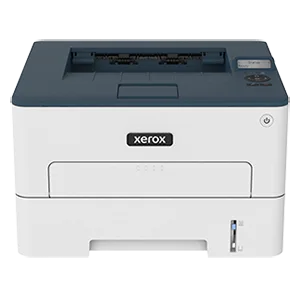
The Xerox B230 is a compact print-only mono laser that prints up to 34 pages a minute, two-sided as standard. It suits a home office or small team that wants network printing and has no need for a scanner.

Check Price on Amazon

Why it's here

  • Up to 34 pages a minute with automatic duplex as standard
  • Wi-Fi, Ethernet and USB
  • A budget price for a print-only laser
  • Rated for up to 2,500 pages a month

Keep in mind

  • Print only, with no scanner
  • Starter toner is a standard-capacity cartridge, so buy a high-yield one for lower page costs
  • Plain styling and a basic control panel

Why the Xerox B230 scores 8.3

Each bar shows where it places among the 10 laser printers in this guide, so a full bar is 1st of 10. How happy owners are counts for most of the score.

  • How happy owners are3rd of 10
  • How many rated it1st of 10
  • How new it is9th of 10

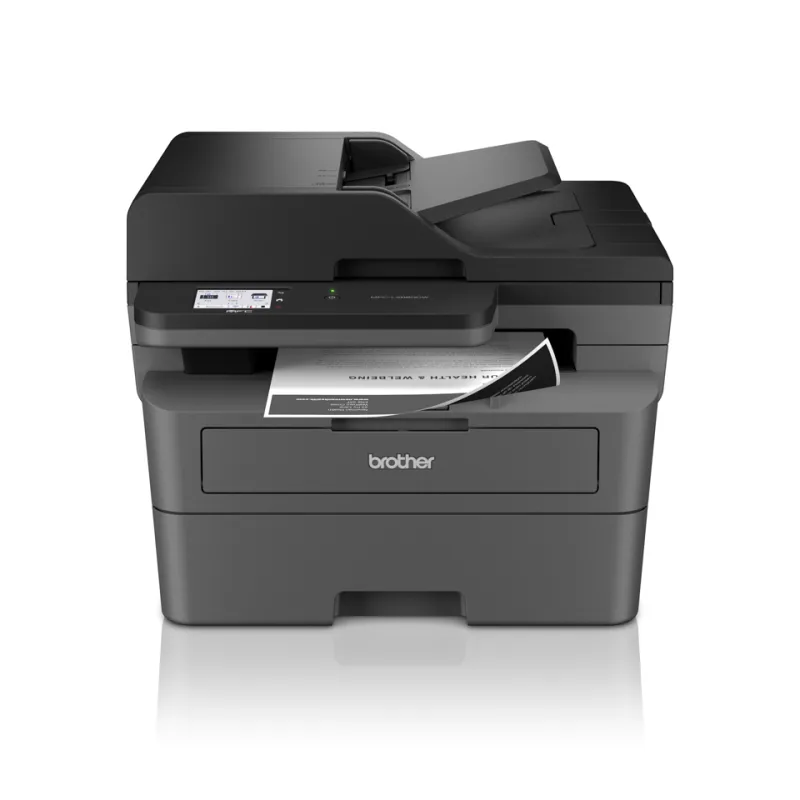
Level with the Brother HL-L2400DW

The Brother HL-L2400DW and the Xerox B230 score the same, so either is a safe pick. The Brother HL-L2400DW goes first because it is the newer design.

About the Xerox B230

The B230 is an A4 black and white laser printer that only prints: no scanner, copier or fax. Xerox rates it at up to 34 pages a minute and fits automatic two-sided printing as standard. Paper comes from two trays totalling 251 sheets. ITPro describes them as a 250-sheet cassette plus a single-sheet slot.

It connects over Wi-Fi (802.11 b/g/n), 10/100 Ethernet or Hi-Speed USB 2.0. Apple AirPrint, Mopria and Wi-Fi Direct are supported for printing from phones and tablets. Control is through a two-line mono display, which ITPro found basic. ITPro puts the footprint at 355 x 333mm and the weight at 6.8kg.

Xerox recommends up to 2,500 pages a month and gives a maximum of 30,000 images a month. The toner is a separate cartridge, and Xerox sells a 3,000-page high-capacity one for the B230. The imaging unit is a separate part, and the manual has a section on replacing it. ITPro's timings showed the printer is quicker on plain text than on graphics, and it took about a minute to start up.

What owners report about the Xerox B230

Little owner feedback exists for the UK model, so this rests on a few UK retailer comments and the reviews on Xerox's Canadian page for the B230. Treat it as a thin picture.

Owners who are happy call it dependable and easy to set up on a network. Printing from anywhere in the house over Wi-Fi works for them, and one owner who switched from an HP found it simpler. A UK buyer liked the speed and print quality for a laser at this level.

The complaints are consistent but few. Typing a Wi-Fi password on the small screen is awkward, and a UK buyer found the printed setup diagrams too small to read. Some owners found the first prints a little light until they raised the toner darkness setting. A couple reported the paper feed pulling several sheets at once and jamming, and one wished it were faster. No duplex problems turned up in the feedback.

Who the Xerox B230 suits

It suits a home office or small team that prints mostly text documents and wants Wi-Fi and Ethernet, with two-sided printing as standard. Its monthly rating is generous for the size. Buy a high-yield toner cartridge early, because that lowers the cost per page.

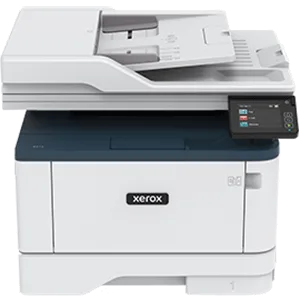
Look elsewhere if you need to scan or copy: the Brother MFC-L2860DW or Xerox B315 do that. If you print colour documents, the HP Color LaserJet Pro 3202dw is the guide's print-only colour option. For a busier office, the Canon i-SENSYS LBP243dw II is built for heavier use. Graphics-heavy work is slower on the B230, per ITPro.

Questions about the Xerox B230

How do I find the Xerox B230 IP address?

Print a menu settings page from Settings, then Reports, then Menu Settings Page. The Network/Ports menu also has a Network Overview entry that shows the IPv4 address.

How do I set up the Xerox B230 on Wi-Fi?

Go to Settings, then Network/Ports, then Wireless on the printer, and join your network there. Owners find typing the password on the small screen fiddly, so have it ready. Xerox's Smart Start installer is the recommended way to add the driver.

Where do I get the Xerox B230 driver?

The Xerox Smart Start installer on the supplied software disc is recommended for Windows. On a Mac you add the printer under Printers & Scanners, and AirPrint works from Apple devices. A UK buyer reported a Mac could not read the disc, but the printer worked without it.

What toner does the Xerox B230 use?

It uses Xerox 006R04400, a high-capacity black cartridge rated at 3,000 pages, which Xerox lists for the B230. The printer has a separate imaging unit that the manual covers replacing.

Does the Xerox B230 have a warranty?

Yes. Xerox gives a standard 1-year warranty, and registering the printer extends it to 3 years from the date of purchase.

Can the Xerox B230 scan or copy?

No. It is a print-only mono laser, with no scanner, copier or fax.

Other laser printer picks

The other badge winners in our laser printers ranking.

All 10 laser printers, compared

  1. 1 Brother HL-L2865DWBest Choice 8.5 out of 10 Check Price
  2. 2 HP LaserJet MFP M234sdw 8.4 out of 10 Check Price
  3. 3 Brother HL-L2400DWBest Budget 8.3 out of 10 Check Price
  4. 4 Xerox B230This review 8.3 out of 10 Check Price
  5. 5 Brother MFC-L2860DW 8.1 out of 10 Check Price
  6. 6 HP Color LaserJet Pro 3202dw 8.0 out of 10 Check Price
  7. 7 Canon i-SENSYS LBP243dw II 8.0 out of 10 Check Price
  8. 8 Canon i-SENSYS MF752Cdw II 8.0 out of 10 Check Price
  9. 9 Canon i-SENSYS MF463dw II 8.0 out of 10 Check Price
  10. 10 Xerox B315 7.9 out of 10 Check Price
See the full laser printers ranking

The Xerox B230 on Amazon

Xerox B230

The Xerox B230 is a compact print-only mono laser that prints up to 34 pages a minute, two-sided as standard. 8.3 out of 10.

Check Price on Amazon

How we score it

Every score here comes from our ranking model; no editor sets the order. We haven't read the review sites for this guide yet, so for now it is led by owners. It ranks products by how happy owners are, holding back any product few owners have rated until more agree. How many rated it and how new it is only settle close calls, and value for money earns its own badge rather than a higher place. We compared 22 models for this guide before settling on these ten.

Brands can't pay to be included or to move up. We last checked these picks in November 2026.

How we rank, in full