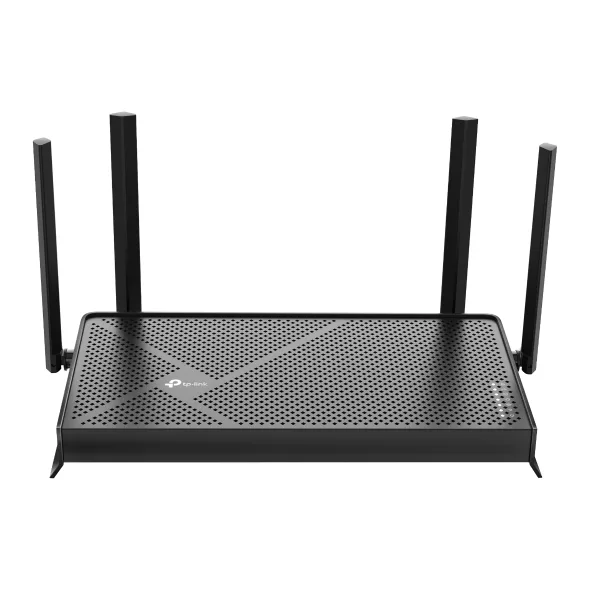
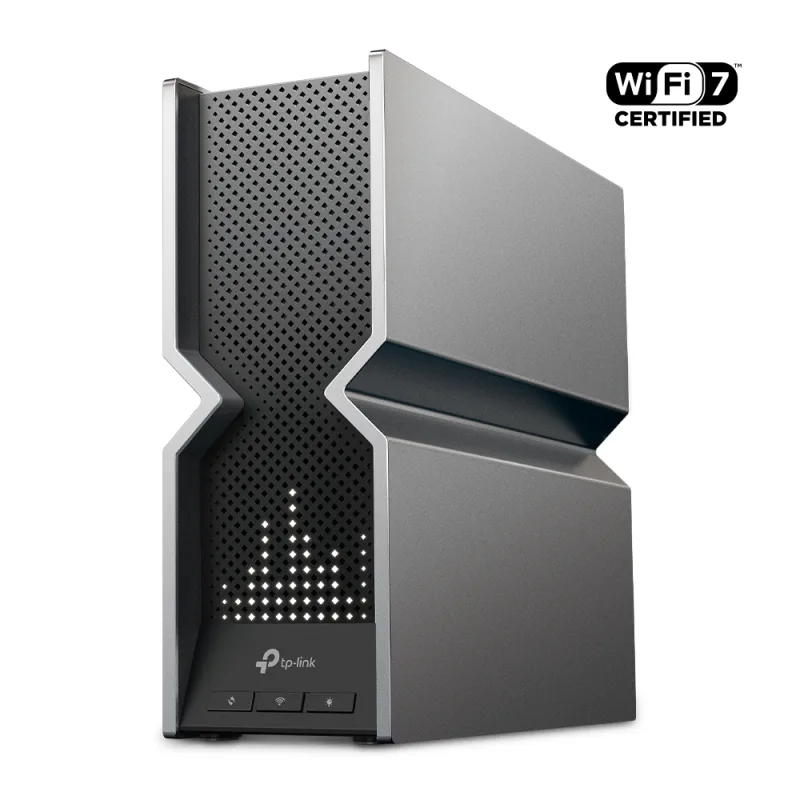
The TP-Link Archer BE230 is a dual-band Wi-Fi 7 router with a 2.5 Gbps WAN port and four external antennas. It suits small and mid-size homes with a fast cable or fiber line and no 6 GHz devices to feed.
A budget price for Wi-Fi 7 with Multi-Link Operation
2.5 Gbps WAN and one 2.5 Gbps LAN port
Rated for a three-bedroom house, with EasyMesh support
USB 3.0 port and simple app setup
Keep in mind
No 6 GHz band, so it can't reach the full speed of Wi-Fi 7 devices
Only three gigabit LAN ports after the single 2.5G one
HomeShield security and advanced parental controls need a subscription
Why the TP-Link BE230 scores 8.4
Each bar shows where it places among the 10 wifi routers in this guide, so a full bar is 1st of 10. How happy owners are counts for most of the score.
How happy owners are3rd of 10
How many rated it4th of 10
How new it is2nd of 10
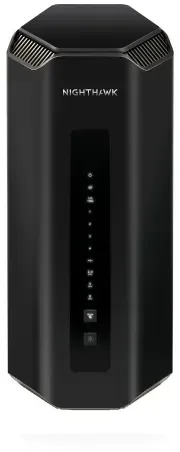
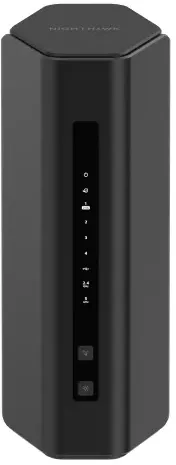
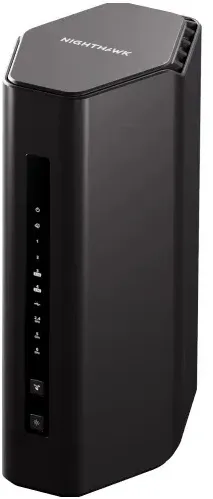
Level with the NETGEAR Nighthawk Dual-Band WiFi 7 Router (RS200)
The NETGEAR Nighthawk Dual-Band WiFi 7 Router (RS200) and the TP-Link Dual-Band BE3600 Wi-Fi 7 Router Archer BE230 score the same, so either is a safe pick. The NETGEAR Nighthawk Dual-Band WiFi 7 Router (RS200) goes first because it is the newer design.
About the TP-Link BE230
The Archer BE230 (sold as the BE3600) is a dual-band router rated at 3.6 Gbps combined. TP-Link lists 2882 Mbps on 5 GHz and 688 Mbps on 2.4 GHz, both physical link rates, so real throughput is lower. It has 2x2 MU-MIMO, OFDMA, beamforming, 4K-QAM and Multi-Link Operation, and four external antennas. TP-Link rates the range for a three-bedroom house. Dong Knows puts it at roughly 1,600 sq ft when the router sits in a central spot.
There is no 6 GHz band. Wi-Fi 7 phones and laptops connect on 5 GHz, so they get the newer features but not the widest channels. MLO lets a device use both bands, though Dong Knows found it does not raise speed above what 5 GHz gives alone.
The wired side is the draw at this level. The WAN port runs at 2.5 Gbps, and one of the four LAN ports does too. The other three are 1 Gbps. A USB 3.0 port shares a drive over FTP, Samba or a media server. The router also runs as an access point, and TP-Link lists EasyMesh compatibility, with a footnote that support on some models is still being added through updates. It also has a VPN server and client (OpenVPN, PPTP, L2TP, WireGuard), per-device QoS and guest networks on both bands.
Setup runs through the Tether app: connect the modem, power on, follow the prompts. The web page at 192.168.0.1 also works. The US unit draws 12 V at 2 A. Dong Knows lists a power adapter and a network cable in the box.
What owners report about the TP-Link BE230
Owner feedback for this exact model is thin. Most of what appears comes from TP-Link's own community forum, where people tend to post when something is wrong, so it skews toward problems.
The recurring complaints concern firmware. Owners of the V1 hardware report that after updating to version 1.2.5, the 2.4 GHz network can drop out, devices fail to join, or they connect with no internet. Rolling back to 1.2.1 restored stable service for some, and TP-Link released a beta build as a fix, with no support promised for beta firmware. Another owner saw 2.4 GHz devices lose connection for about a minute at a time after the same update, while 5 GHz stayed fine.
One owner reported months of slow Wi-Fi, dropouts and poor bufferbloat handling with no SQM option, even on devices close to the router, while wired connections stayed fine. That is a single account, not a pattern. The repeated theme is that a firmware update is worth checking before you rely on the router, and that older firmware is a fallback.
Who the TP-Link BE230 suits
The BE230 fits a small or mid-size home or apartment on a cable or fiber plan up to 2.5 Gbps, where the buyer wants Wi-Fi 7 and a multi-gig WAN port at a budget price. The USB port helps if you want to share a drive. The single 2.5G LAN port suits one NAS or one wired PC.
Look elsewhere if you own 6 GHz devices or want top Wi-Fi 7 speed: the NETGEAR Nighthawk Tri-Band WiFi 7 Router (RS300) and TP-Link Tri-Band BE9300 Wi-Fi 7 Router Archer BE550 add that band. If you need several multi-gig wired devices, the ASUS RT-BE88U has four 2.5G LAN ports and two 10G ports. If you want HomeShield's advanced security and parental controls, they need a paid plan.
Questions about the TP-Link BE230
How do I set up and connect to the TP-Link Archer BE230?
Connect the router's WAN port to your modem and power both on, then install the Tether app (iOS or Android) and follow the prompts. You can also log in through a browser at 192.168.0.1.
Is the TP-Link Archer BE230 compatible with fiber internet?
Yes, if your fiber box outputs Ethernet. The BE230's WAN port supports Dynamic IP, Static IP and PPPoE and runs at 2.5 Gbps, so plug it into the ONT or provider gateway.
Does the TP-Link Archer BE230 have a 6 GHz band?
No. It is dual-band, with 2.4 GHz and 5 GHz only. Wi-Fi 7 devices connect on 5 GHz at up to 2882 Mbps.
How much space does the TP-Link Archer BE230 cover?
TP-Link rates it for a three-bedroom house. Dong Knows estimates about 1,600 sq ft with the router placed centrally.
Does the TP-Link Archer BE230 support mesh?
Yes, it is EasyMesh-compatible. TP-Link adds that EasyMesh support is still being developed on some models and will arrive in later updates.
Does TP-Link HomeShield cost extra on the Archer BE230?
Partly. TP-Link includes a free Basic Plan, and the Pro Plan carries a fee. Basic covers features like the Home Network Scanner, while the advanced parental controls need Pro.
Other wifi router picks
The other badge winners in our wifi routers ranking.
Every score here comes from our ranking model; no editor sets the order. We haven't read the review sites for this guide yet, so for now it is led by owners. It ranks products by how happy owners are, holding back any product few owners have rated until more agree. How many rated it and how new it is only settle close calls, and value for money earns its own badge rather than a higher place. We compared 15 models for this guide before settling on these ten.
Brands can't pay to be included or to move up. We last checked these picks in November 2026.