vetted ten.

BenQ PD3205U review

No. 8 of 10 in our monitors ranking · Updated · How we rank

Our verdict: The BenQ PD3205U ranks 8th of the 10 monitors we compare, with 8.3 out of 10.

BenQ PD3205U

BenQ PD3205U

8.3/10

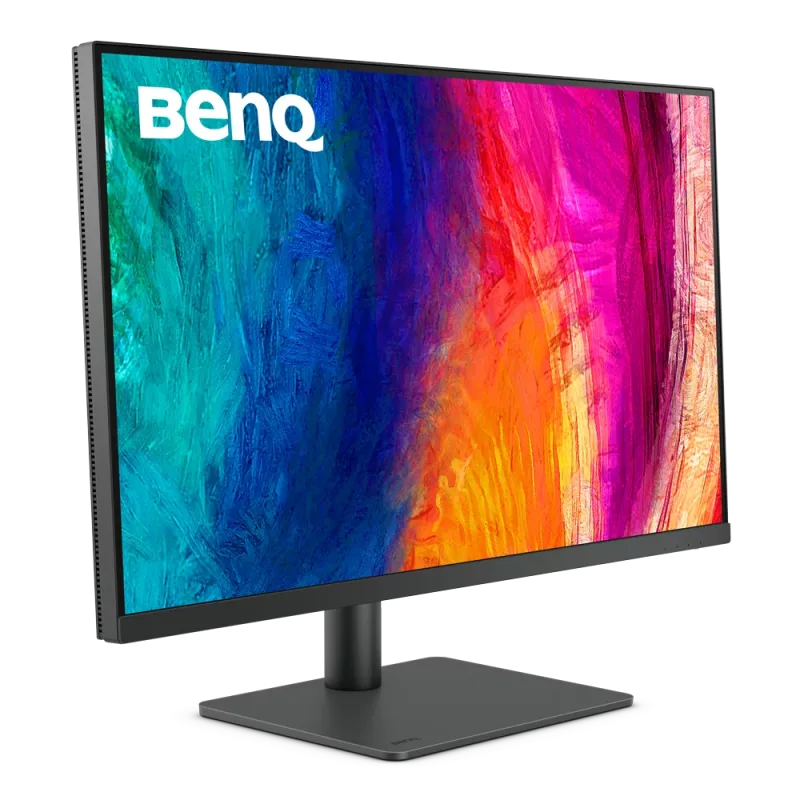
The BenQ PD3205U is a 31.5-inch 4K IPS monitor for designers and photo editors, factory calibrated to sRGB. It suits a laptop desk that wants one USB-C cable for picture, data and charging.

Check Price on Amazon

Why it's here

  • 31.5-inch 4K IPS panel with 99% sRGB and Rec.709 coverage, factory calibrated
  • USB-C with 90W power delivery, HDMI and DisplayPort, plus a KVM switch
  • Hotkey Puck controller for switching colour modes quickly
  • Flicker-free backlight and low blue light mode

Keep in mind

  • 60Hz only, so not for fast games
  • Covers sRGB rather than wide P3 colour, which limits it for print and HDR video work
  • An older design that costs more than newer 4K monitors
Why the BenQ PD3205U scores 8.3

Each bar shows where it places among the 10 monitors in this guide, so a full bar is 1st of 10. How happy owners are counts for most of the score.

  • How happy owners are5th of 10
  • How many rated it5th of 10
  • How new it is10th of 10

Level with the LG 27UP85NP-W

The LG 27UP85NP-W and the BenQ PD3205U score the same, so either is a safe pick. The LG 27UP85NP-W goes first because it is the newer design.

About the BenQ PD3205U

The PD3205U has a 31.5-inch IPS panel at 3840 x 2160 (140 pixels per inch) with a matte coating. BenQ quotes 99% sRGB and 99% Rec.709 coverage, a Delta E of 3 or less, and Pantone and Pantone SkinTone validation. Each unit is factory calibrated and comes with a calibration report. It supports HDR10, though typical brightness is 250 nits and the HDR peak is 350 nits.

Connections are one HDMI 2.0, one DisplayPort 1.4 and a USB-C port with DisplayPort Alt Mode, data and 90W power delivery. The USB hub has three USB 3.2 downstream ports and one USB-C downstream port, fed by two USB Type-B upstream ports. A headphone jack is included. A built-in KVM switch lets one keyboard and mouse control two computers, and BenQ says the USB-C port also works with Thunderbolt 3 and 4 devices.

The stand tilts from -5 to 20 degrees, swivels 15 degrees each way, rotates 90 degrees into portrait and adjusts in height by 110 mm. A 100 x 100 mm VESA mount is supported. With the stand it weighs 9.4 kg. Picture-in-Picture and Picture-by-Picture show two sources at once, and M-book mode matches colour with a Mac. The Hotkey Puck G2 is a desktop controller for switching colour modes and the KVM. It comes in the box with a quick start guide, warranty card and the calibration report. TÜV Rheinland certifies the screen as flicker-free with a low blue light mode.

What owners report about the BenQ PD3205U

Owner feedback on this exact model is limited, and what exists is mostly positive. Owners like the colour accuracy, the sharpness of the 4K picture and how comfortable it is to look at for long design sessions. The step up from a 24-inch screen is welcomed.

Several owners run a MacBook over a single USB-C cable for picture, data and charging and are happy with it. The KVM switch gets praise for sharing a keyboard and mouse between machines, though one owner found it took some time to set up. Owners with it on a desk for months to a year or more report being satisfied.

The complaints are small. The stand takes up a lot of desk space, and some owners find it a little expensive. One owner had a clash between BenQ's Display Pilot software and Adobe apps and removed the software. Brightness is enough for most rooms, but it is not a bright screen.

Who the BenQ PD3205U suits

It suits designers, photo editors and office users who work in sRGB and want a large, sharp screen that charges a laptop. The KVM switch helps anyone moving between a work and a personal computer. The Hotkey Puck makes switching colour modes quick.

Look elsewhere for fast games: it is 60Hz, and the Dell UltraSharp U3225QE runs a 4K panel at 120Hz. If you work in wide P3 colour for print or HDR video, this sRGB panel will limit you. For a smaller or cheaper 4K screen, consider the AOC U27B3M or the LG 27UP85NP-W.

Questions about the BenQ PD3205U

Is the BenQ PD3205U good for photo editing?

Yes, for sRGB work. It covers 99% sRGB and 99% Rec.709, is factory calibrated and comes with a calibration report. It does not cover wide P3 colour, so it is less suited to print or HDR work.

What are the BenQ PD3205U specs?

It is a 31.5-inch IPS panel at 3840 x 2160 and 60Hz, with 250 nits typical brightness and HDR10. It has HDMI 2.0, DisplayPort 1.4, USB-C with 90W power delivery and a USB hub.

Does the BenQ PD3205U work with a Mac?

Yes. It has an M-book mode for matching colour on a Mac, and its USB-C port carries picture, data and 90W charging to a laptop. BenQ also says it works with Thunderbolt 3 and 4 devices.

Does the BenQ PD3205U have a KVM switch?

Yes. One keyboard and mouse can control two computers, and the Hotkey Puck G2 in the box can switch between them.

Is the BenQ PD3205U good for gaming?

Not really. It is 60Hz with a 5ms response time, so it suits office and creative work better than fast games.

How bright is the BenQ PD3205U?

BenQ gives 250 nits typical brightness and 350 nits peak in HDR. That is enough for most indoor rooms.

Other monitor picks

The other badge winners in our monitors ranking.

All 10 monitors, compared

  1. 1 AOC U27B3MBest Choice 8.8 out of 10 Check Price
  2. 2 AOC Q27E3UMF 8.7 out of 10 Check Price
  3. 3 Dell S2725DS 8.6 out of 10 Check Price
  4. 4 LG 34WQ75C-BBest Premium 8.6 out of 10 Check Price
  5. 5 Philips 27E1N1300AEValue for Money 8.4 out of 10 Check Price
  6. 6 Dell UltraSharp U3225QE 8.3 out of 10 Check Price
  7. 7 LG 27UP85NP-W 8.3 out of 10 Check Price
  8. 8 BenQ PD3205UThis review 8.3 out of 10 Check Price
  9. 9 Lenovo L24i-4ABest Budget 8.3 out of 10 Check Price
  10. 10 ASUS ProArt Display PA248CRV 8.0 out of 10 Check Price
See the full monitors ranking

The BenQ PD3205U on Amazon

BenQ PD3205U

The BenQ PD3205U is a 31.5-inch 4K IPS monitor for designers and photo editors, factory calibrated to sRGB. 8.3 out of 10.

Check Price on Amazon

How we score it

Every score here comes from our ranking model; no editor sets the order. We haven't read the review sites for this guide yet, so for now it is led by owners. It ranks products by how happy owners are, holding back any product few owners have rated until more agree. How many rated it and how new it is only settle close calls, and value for money earns its own badge rather than a higher place. We compared 17 models for this guide before settling on these ten.

Brands can't pay to be included or to move up. We last checked these picks in November 2026.

How we rank, in full