vetted ten.

AOC U27B3M review

No. 1 of 10 in our monitors ranking · Updated · How we rank

Our verdict: The best monitor in 2026 is the AOC U27B3M. It tops our ranking with 8.8 out of 10.

AOC U27B3M

AOC U27B3M

8.8/10Best Choice

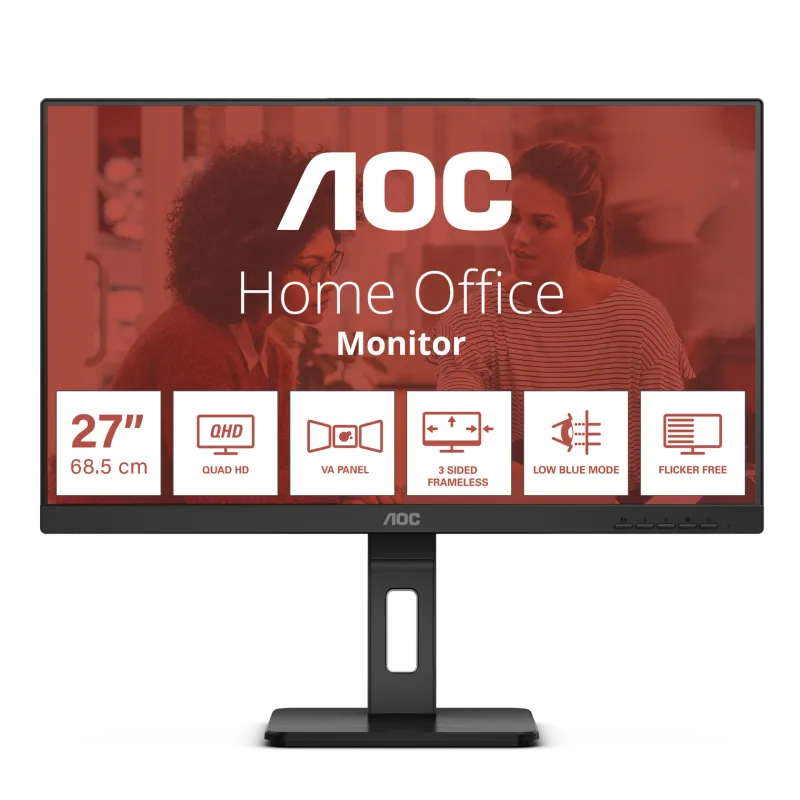
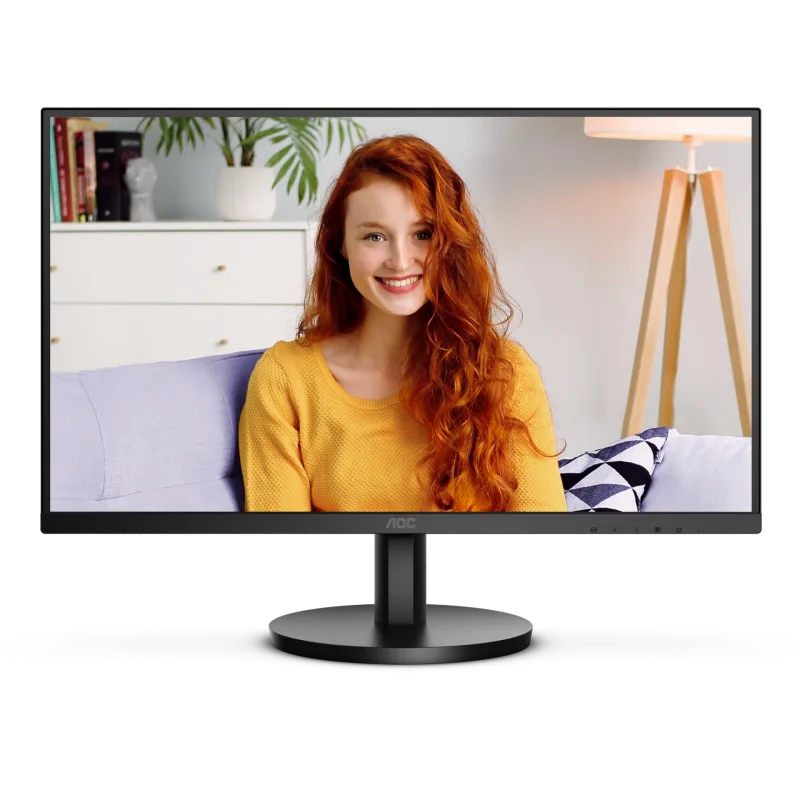
The AOC U27B3M is a 27-inch 4K monitor with a VA panel and a 60Hz refresh rate. It suits office work, browsing and video on a budget, and it is a weak pick for fast games.

Check Price on Amazon

Why it's here

  • 27-inch 4K resolution at a budget price
  • VA panel with high static contrast for deep blacks
  • HDMI 2.0 and DisplayPort 1.4 inputs
  • Flicker-free backlight and a low blue light mode

Keep in mind

  • Tilt-only stand with no height adjustment
  • VA panels show colour and contrast shifts at an angle and some dark-scene smearing in fast games
  • No USB-C input and a plain 60Hz refresh rate

Why the AOC U27B3M scores 8.8

Each bar shows where it places among the 10 monitors in this guide, so a full bar is 1st of 10. How happy owners are counts for most of the score.

  • How happy owners are1st of 10
  • How many rated it1st of 10
  • How new it is3rd of 10

Why No. 1 beats No. 2

The AOC U27B3M (8.8) edges the AOC Q27E3UMF (8.7) on the balance of all three parts.

About the AOC U27B3M

The U27B3M is a flat 27-inch monitor with a 3840 x 2160 VA panel and a matte antiglare finish. AOC quotes 3500:1 typical static contrast, 300 cd/m² typical brightness and 178° viewing angles. The panel is 8-bit with frame rate control, and AOC lists 94.6% DCI-P3 and 95.2% Adobe RGB coverage.

It runs at 60Hz with a 4 ms grey-to-grey response time and supports Adaptive Sync. HDR10 is listed as well. Inputs are one HDMI 2.0 port and one DisplayPort 1.4 port, plus a 3.5 mm headphone output. Flicker Free and Low Blue Light modes are built in.

The bezel is frameless on three sides. The stand is removable and quick-release, tilts from -5° to 20° and does not adjust for height. The back has a VESA 100 x 100 mount and a Kensington lock slot. The box holds a 1.5 m HDMI cable and a power cable, so a DisplayPort cable is a separate purchase.

What owners report about the AOC U27B3M

Owners like the sharp image and the amount of room 4K gives for several windows side by side. Text looks clean, contrast is good for the money and the thin bezels suit multi-monitor desks. Several say the matte finish and the Flicker Free and low blue light modes make long days easier on the eyes. Setup is described as quick, and value for money is the most common compliment.

The main complaint is the 60Hz refresh rate: fine for video and everyday use, not what owners want for demanding games. Others mention the stand, which has no height adjustment. Some owners had to change the default settings before the picture looked right, and one found small text tiring to read. A few wanted more ports, and one noted that only one HDMI cable is supplied.

Most owner feedback comes from continental European retailer pages rather than UK ones, and there is little of it on UK sites.

Who the AOC U27B3M suits

This is a sensible choice for someone who wants a big, sharp 4K screen for documents, spreadsheets, browsing and films without spending much. The VESA mount means the weak stand can be swapped for an arm that raises the screen.

Look elsewhere if you play fast games, want a laptop to charge over one cable, or need to sit at different angles, since VA panels shift in colour and contrast off-axis. The LG 27UP85NP-W is a 4K IPS option with USB-C charging, and the Dell UltraSharp U3225QE adds 120Hz. For gaming at a lower cost, the AOC Q27E3UMF is a QHD alternative with a fuller stand.

Questions about the AOC U27B3M

Does the AOC U27B3M have USB-C?

No. The AOC U27B3M has one HDMI 2.0 and one DisplayPort 1.4 input, plus a 3.5 mm headphone output, and no USB-C input.

Is the AOC U27B3M good for gaming?

Only for casual play. It is limited to 60Hz, and owners say it is better suited to office work and video than demanding games.

Can the AOC U27B3M be wall mounted?

Yes. AOC lists a VESA 100 x 100 mount, and the stand is removable, so it fits an arm or wall bracket.

Does the AOC U27B3M support HDR?

It lists HDR10 support. With 300 cd/m² typical brightness, expect a modest effect rather than the punch of a brighter HDR screen.

What warranty does the AOC U27B3M have?

AOC lists a 3-year warranty on its UK product page.

Can you adjust the height of the AOC U27B3M?

No. The stand tilts from -5° to 20° and does not adjust for height.

Other monitor picks

The other badge winners in our monitors ranking.

All 10 monitors, compared

  1. 1 AOC U27B3MThis reviewBest Choice 8.8 out of 10 Check Price
  2. 2 AOC Q27E3UMF 8.7 out of 10 Check Price
  3. 3 Dell S2725DS 8.6 out of 10 Check Price
  4. 4 LG 34WQ75C-BBest Premium 8.6 out of 10 Check Price
  5. 5 Philips 27E1N1300AEValue for Money 8.4 out of 10 Check Price
  6. 6 Dell UltraSharp U3225QE 8.3 out of 10 Check Price
  7. 7 LG 27UP85NP-W 8.3 out of 10 Check Price
  8. 8 BenQ PD3205U 8.3 out of 10 Check Price
  9. 9 Lenovo L24i-4ABest Budget 8.3 out of 10 Check Price
  10. 10 ASUS ProArt Display PA248CRV 8.0 out of 10 Check Price
See the full monitors ranking

The AOC U27B3M on Amazon

AOC U27B3M

The AOC U27B3M is a 27-inch 4K monitor with a VA panel and a 60Hz refresh rate. 8.8 out of 10.

Check Price on Amazon

How we score it

Every score here comes from our ranking model; no editor sets the order. We haven't read the review sites for this guide yet, so for now it is led by owners. It ranks products by how happy owners are, holding back any product few owners have rated until more agree. How many rated it and how new it is only settle close calls, and value for money earns its own badge rather than a higher place. We compared 17 models for this guide before settling on these ten.

Brands can't pay to be included or to move up. We last checked these picks in November 2026.

How we rank, in full